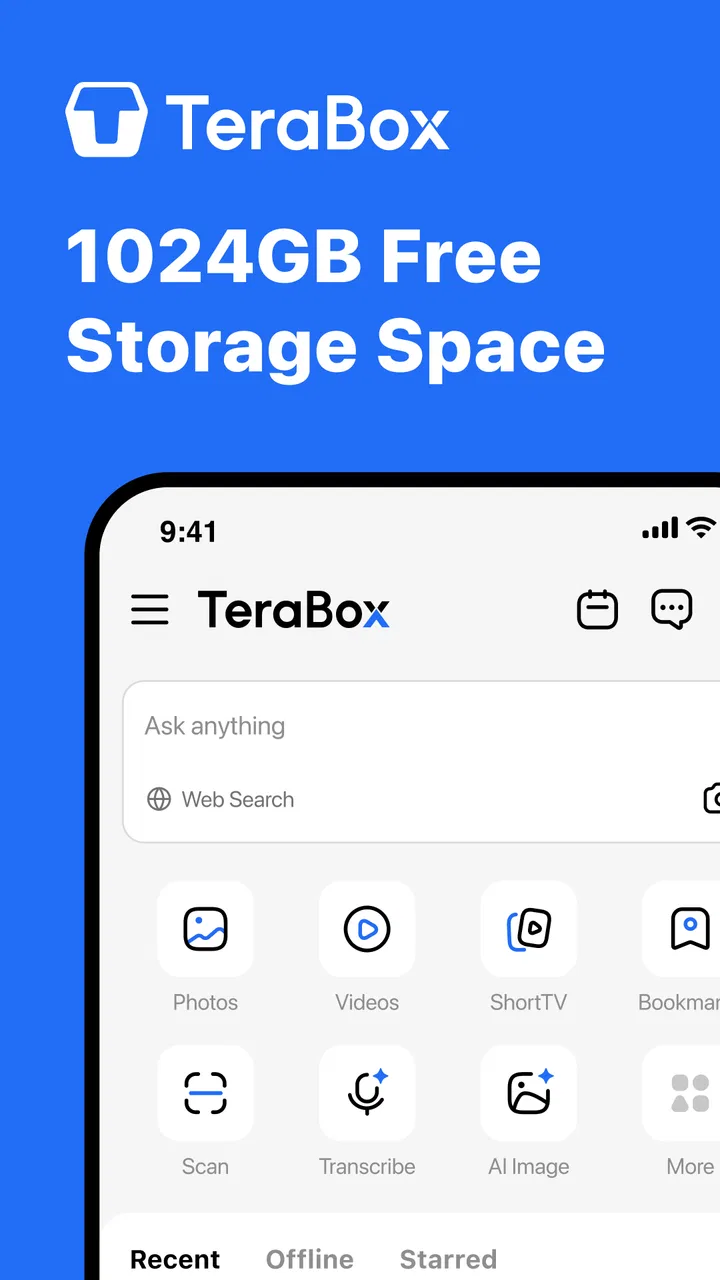
TeraBox: 1TB Cloud & AI Space
- 4.4
- Rating
- 100.00M
- Installs
- Free
- Price
 Analysis by App-foxy
I usually judge a cloud-storage app by what happens in ordinary moments: saving a phone video, opening a document on another device, sharing a folder, or trying to recover space without losing track of the original file. TeraBox: 1TB Cloud & AI Space is built around those habits. It is a free tools app from Flextech Inc. that combines cloud storage with AI-oriented tools, and its main appeal is simple: it gives you a large place to put files without asking you to manage a traditional hard drive.
That promise makes it interesting for people who regularly run out of phone storage, keep large media collections, or move between Android and other devices. At the same time, cloud storage is never only about capacity. The important questions are how clearly the app lets you control files, what you choose to upload, how comfortable you are with an account-based service, and whether its interface fits the way you already work. My experience with TeraBox is that it can be useful and surprisingly convenient, but it deserves a deliberate setup rather than a careless “upload everything” approach.
How TeraBox fits into everyday storage
The app sits in the tools category, but I think of it more specifically as a personal file cabinet with mobile access. The central workflow is familiar: create or use an account, add files, browse them later, and use the same space when you need those files on another device. That makes it different from a file manager, which mainly organizes items already stored locally, and from a photo gallery, which is focused on viewing rather than broader file storage.
You May Also Like

 AccuWeather: Weather Radar
AccuWeather Review: A Quick, Clear Forecast for Everyday Decisions
For everyday plans, the best forecast is the one you can understand quickly. AccuWeather makes rain timing, radar, and local conditions easy to act on, with a few trade-offs.

 Hill Climb Racing
Why Hill Climb Racing Still Turns Crashes Into One More Run
A tiny car, a bumpy hill and one more upgrade: Hill Climb Racing keeps resurfacing because its simple chaos makes every near-miss feel personal.

 AliExpress - Shopping App
AliExpress Makes Global Shopping Feel Personal, but Shoppers Bear the Risk
AliExpress turns a global marketplace into a pocket-sized discovery engine. Its reach is useful, its shopping loop compelling, and its trade-offs easy to miss.

 Lords Mobile: Kingdom Wars
Lords Mobile Is a Kingdom-Building Routine, Not a Quick Match
A case-by-case verdict on the building, battles, device demands, and social commitments that make Lords Mobile rewarding for some players and exhausting for others.

 PDF Scanner app - TapScanner
TapScanner Makes Paperwork Easier to Capture, Check, and Share
TapScanner makes scanning with a phone feel less like a rescue operation and more like a dependable step in getting work done. Its capture tools are useful, though not flawless.

 Block Blast!
 Shows How Much a Puzzle Game Can Leave Out
A quiet grid game shows why puzzle players increasingly value instant clarity, repeatable skill and low-pressure play—and where the genre still needs to catch up.
More From Our News Desk
View All News


The most practical use is freeing up a phone without immediately deleting memories. Imagine returning from a family trip with long videos, screenshots, and edited photos taking over your device. Instead of selecting files at random, I would first upload the complete set, open several files from the cloud to make sure they are accessible, and only then remove local copies. That extra verification step matters: cloud storage is helpful when it reduces clutter, but it should not encourage you to treat an upload as a backup until you have checked that the files are really where you expect them to be.
TeraBox is also useful for moving files between devices. A document saved from a phone can be opened later on a tablet or another compatible device without sending attachments to yourself. For people who work with mixed file types, that broader approach is more flexible than a photo-only backup service. I like the idea of keeping travel documents, recordings, PDFs, and exported videos in one place instead of scattering them across messaging apps and local folders.
The service has attracted a large audience, with an average rating of 4.4 from around 3.8 million ratings and more than 100 million installs. Those figures suggest that its basic storage workflow is understandable to many people, although popularity should not replace checking whether its controls match your own privacy expectations. The app is free to install and is rated for Everyone, which makes it approachable for households, students, and casual users.
What the storage experience gets right
The strongest part of TeraBox is the low-friction idea behind it. You do not need to build a complicated home server or carry a physical drive between devices. A cloud space is available from an app designed for quick access, and that is especially convenient when your phone is the device where most files are created.
I also find the large storage proposition more useful for bulky personal media than for a small collection of office files. A few documents rarely create a storage crisis, but videos and high-resolution images can. If your problem is mainly a crowded camera folder, a large cloud destination can change your routine: upload in batches, review what is safely available, and keep only the material you need offline.
There is a subtle trade-off here. A large quota can make organization feel less urgent, but poor organization becomes more painful as the collection grows. I would create folders before uploading a major batch rather than relying on one enormous stream of files. A simple structure such as “Trips,” “Documents,” “Work,” and “To review” makes later searching and cleanup much easier than treating the cloud as an endless drawer.
Where it differs from familiar alternatives
Compared with keeping everything on a USB drive, TeraBox is easier to reach when the drive is not with you, but it depends on account access and an internet connection for cloud-based actions. A physical drive gives direct ownership of the device holding the files, while a cloud app gives convenience and remote availability. I would use TeraBox for access across devices and a separate local copy for irreplaceable material.
Compared with a service focused narrowly on automatic photo backup, TeraBox is more appealing if your storage needs include documents, videos, audio, and other files. A photo-first alternative may feel cleaner for someone who only wants a camera-roll safety net. TeraBox makes more sense when you want one broader space, though that broader space requires more personal organization.
It also differs from a file-sync tool. Syncing often tries to keep selected folders aligned across devices, while cloud storage can be used more like an online archive. That distinction affects deletion habits. If you remove a file from a synchronized location, you may expect the change to travel elsewhere; with an archive-style workflow, you may be trying to preserve a copy online. I recommend deciding whether each folder is an archive, a working area, or a temporary transfer point before you start moving large amounts of data.
Trust, controls, and careful use
When I assess trust and controls, I focus on the moments when a small choice can have lasting consequences: granting access, sharing a folder, or deciding which files belong in a cloud account. I’d make those decisions deliberately and revisit them as my habits change, so convenience stays useful without turning into more access or exposure than I intended.
Why the account deserves attention
Any service that holds personal files becomes part of your digital routine. I would not choose TeraBox solely because the storage number sounds generous. I would first make sure I understand which account I am using, how I will regain access if I change phones, and which files are appropriate for a third-party cloud service. Those are not dramatic precautions; they are the normal habits that prevent a convenient app from becoming a source of confusion later.
My rule is to separate “convenient to access” from “safe to place anywhere.” Holiday photos, downloaded videos, and non-sensitive documents may be reasonable candidates for a general cloud library. Identity documents, private medical records, confidential work material, and anything covered by a professional duty deserve a stricter decision. If I did upload sensitive material, I would avoid casual sharing, keep a second copy under my control, and review the account settings instead of assuming the default choice is ideal.
The app’s store summary also points to AI tools in the same smart space. That makes it important to pause before sending private content into any feature that analyzes or transforms it. I would use AI-oriented functions first with ordinary, non-confidential material and inspect the visible choices around the file before proceeding. The useful question is not whether AI sounds modern; it is whether I am comfortable with the particular file being used in that workflow.
Permissions and visible choices
When I install a storage app, I pay attention to the moment it asks for access. A sensible approach is to grant only what is needed for the task I am doing. If I am selecting a few files, I prefer a picker-based workflow rather than giving broad access automatically. If I later decide to back up a larger media library, I can revisit the operating system’s permission controls and expand access intentionally.
This is also where the difference between a manual upload and an automatic routine matters. Manual selection gives me a clear chance to review what is leaving the phone. Automatic backup can save time, but it can also include screenshots, downloads, duplicate clips, or files that I never meant to store online. I would begin with a small test folder, inspect the result, and only then decide whether a wider upload routine is worth the reduced effort.
Visible choices matter during sharing as well. Before sending a file or folder, I would check exactly what is selected, whether the recipient needs access to the whole folder, and whether a single file would be safer. Sharing a folder is convenient for collaboration or a group trip, but it can expose more than intended if the folder contains old drafts or unrelated images. The safest workflow is often the least glamorous one: make a clean sharing folder, copy only the required items, and use that folder instead of exposing your personal archive.
Data-sensitive moments to plan for
The most sensitive point is not always installation. It is often the first large upload, when convenience encourages people to select everything. I would treat that moment as a sorting exercise. Remove duplicates, separate private material, and give important files meaningful names before they leave the device. This takes longer at the beginning but saves time when you later need to find one particular document.
Another sensitive moment is freeing local space. I would never delete the phone copy immediately after seeing an upload progress indicator. I would open representative files from the cloud, check that longer videos play properly, confirm that documents are readable, and make sure the account is the one I intend to keep using. For irreplaceable photos, I would retain another copy as well. Cloud storage is a useful layer of protection, not a reason to abandon every other copy.
AI tools create a separate decision point. I would avoid testing them with passports, financial paperwork, private conversations, or confidential client files. A good first experiment is a public-domain image, a personal note with no sensitive details, or a duplicate of a harmless document. This lets me understand the workflow without making the first test carry unnecessary privacy risk.
Costs, upgrades, and expectations
The app is free, but in-app purchases range from a few cents to nearly five hundred dollars per item. That wide range is a reason to slow down around upgrade screens rather than treating every prompt as part of the basic service. I would read the wording carefully, identify whether a purchase is one-time or recurring, and confirm the amount through the platform’s payment screen before accepting anything.
Free access can be enough for casual storage, but the experience may include reasons to consider paid options. I would not upgrade simply because the app displays a large capacity figure. First I would measure my actual use: how often I upload, whether I need more space, whether the free workflow is reliable for my files, and whether the paid terms solve a problem I genuinely have. A storage plan is worthwhile when it supports a stable routine, not when it merely removes anxiety about a quota I am unlikely to reach.
It is also worth keeping expectations realistic about speed. Upload and playback depend on the connection, file size, and device conditions. A cloud app cannot make a weak network behave like local storage. For a flight, rural trip, or commute with unreliable connectivity, I would prepare essential files offline rather than assuming the online library will always be available.
Useful routines I would recommend
My first routine would be a “staging folder.” I would upload new material there, review it over the next few days, rename important files, and then move them into permanent folders. This prevents every screenshot and duplicate download from becoming part of the long-term archive. It is a small habit, but it keeps a large storage allowance from turning into a disorganized pile.
My second routine would be a two-copy rule for irreplaceable items. TeraBox can be one copy, while an external drive or another trusted location becomes the second. I would not keep both copies on the same phone, because losing or damaging that phone would defeat the point. This is particularly useful for family videos, scanned records, and creative projects that would be difficult to recreate.
My third routine would be a monthly account check. I would review recent uploads, remove accidental duplicates, inspect shared folders, and confirm that old links or access arrangements are still appropriate. The goal is not to obsess over the app; it is to prevent a forgotten share or an unclear folder from lasting indefinitely.
A fourth useful habit is to test recovery before you need it. I would sign out only when I know how to sign back in, verify that important files appear from another device, and keep account-recovery details current. A cloud library is most valuable when it remains reachable after a lost phone, a device change, or a reinstall.
Who should use it, and who should skip it
I think TeraBox is a good fit for someone who wants a broad personal cloud space, regularly handles large media files, and prefers a mobile-first way to move material between devices. It is also suitable for a user who is willing to organize folders and make conscious choices about what gets uploaded. The free entry point makes it easy to test that workflow without committing immediately to a paid plan.
I would be more cautious recommending it to someone who wants a completely private archive with no account-based service, or to a professional who needs carefully documented data handling for regulated information. That person may be better served by an organization-approved platform with controls and policies designed for their specific requirements. I would also suggest a photo-specialized alternative for someone who wants nothing beyond automatic camera backup and finds general file management distracting.
The current version is 4.18.2 and the app requires Android 6.0 or later. Those details matter if you are using an older phone, and they are worth checking before planning a large migration. On a compatible device, I would still begin with a small collection rather than moving an entire archive on the first day. A short trial reveals whether the navigation, upload behavior, and file access fit your habits.
My cautious verdict
After using TeraBox as a practical storage tool, I see its value in the combination of generous cloud space, broad file support, and an easy mobile workflow. It can reduce the pressure on a crowded phone and make everyday transfers less awkward. The AI tools may add interest for users who want more than a basic file locker, but I would approach those features with the same care I apply to any service that processes personal content.
My recommendation is conditional but positive: use it for ordinary files and media when convenience matters, organize uploads before they grow, and keep a second copy of anything you cannot replace. Review permissions and sharing choices at the moments that matter, especially during the first bulk upload and before using AI-oriented tools. The best way to trust a cloud app is to keep control of your own decisions, rather than assuming a large storage offer automatically makes every workflow safe.
For me, TeraBox works best as one part of a sensible storage setup, not as the only place where every personal file lives. If you want an accessible cloud shelf and are prepared to manage your account deliberately, it is worth trying. If your priority is strict organizational control, specialized compliance, or a purely local archive, another option may be the better match.
Flextech Inc. has made a tool that is easy to approach, and its broad adoption reflects that accessibility. Just remember that a free app can still involve valuable personal data and optional purchases. Start small, inspect the choices that appear, and let your own storage needs—not the size of the headline offer—decide how deeply you rely on TeraBox: 1TB Cloud & AI Space.
FAQs for TeraBox: 1TB Cloud & AI Space
01What is TeraBox and how does it work?
TeraBox is a cloud storage solution that offers users 1TB of free space to store files, photos, videos, and documents. It utilizes advanced AI technology for efficient file management and organization. Users can access their stored data from any device with internet connectivity, ensuring easy and secure data management.
02Is TeraBox really free and are there any hidden costs?
TeraBox provides 1TB of storage for free, which is a generous offer compared to many other cloud services. While the basic storage is free, additional features or increased storage capacity may require a subscription. Users should review the app’s pricing plans for any premium services they might be interested in.
03How secure is my data on TeraBox?
TeraBox employs robust security measures to protect user data, including encryption protocols and secure access controls. While the app ensures a high level of security, it's always advisable for users to use strong passwords and enable two-factor authentication to enhance their data protection.
04Can I share files with others using TeraBox?
Yes, TeraBox allows users to easily share files and folders with others. You can generate shareable links or directly invite others to view or edit files. This feature makes collaboration simple and efficient, whether for personal or professional use.
05Is TeraBox compatible with all devices?
TeraBox is available on both Android and iOS platforms, and you can also access it via a web browser on a computer. This cross-platform compatibility ensures that users can seamlessly access their files from any device, providing flexibility and convenience.
Pros
- Generous 1TB free storage space.
- Simple and user-friendly interface.
- Automatic photo backup feature.
- AI-powered search for quick retrieval.
- Cross-platform support for easy access.
Cons
- Limited upload speed for free users.
- Ads can be intrusive at times.
- No end-to-end encryption offered.
- File size limit for uploads is restrictive.
- Offline access is not comprehensive.

TeraBox: 1TB Cloud & AI Space
Gallery